

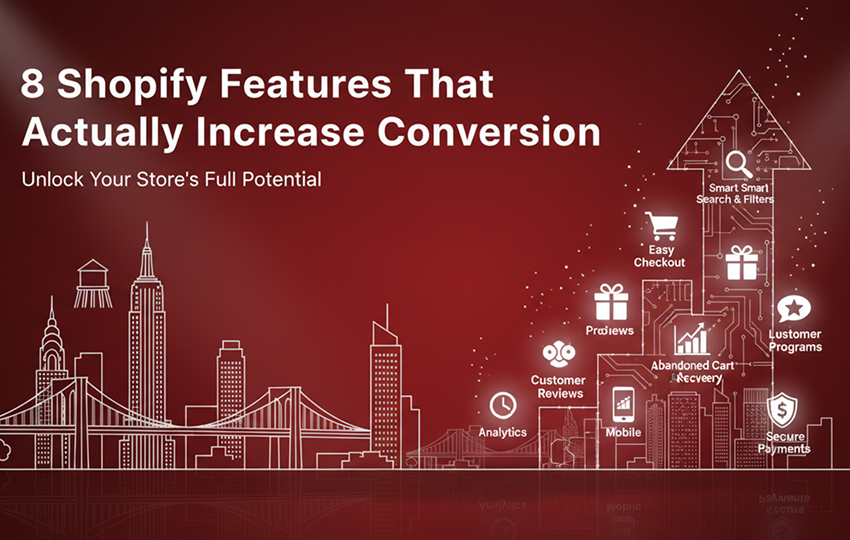
8 Shopify Features That Directly Increase Ecommerce Conversions
Most Shopify stores don’t fail because of poor design or lack of traffic—they fail because invisible friction quietly kills buying intent. Store owners install CRO apps, follow popular checklists, tweak layouts, and still see conversion rates stall. The problem isn’t effort; it’s focus.
Brands that grow consistently are the ones that identify these high-impact features, implement them correctly, and measure what truly moves the needle instead of chasing surface-level optimizations.
Some improve aesthetics, some help with analytics, and only a few actually reduce hesitation at the exact moment a shopper decides whether to buy or leave.
In this guide, we break down 8 Shopify features that directly or indirectly influence conversions, explain where they shape buyer behavior, and show how to measure their impact using GA4 and Shopify analytics.
Direct vs Assisted Conversion Features
Direct Conversion Feature
Direct conversion features impact purchases in the same session. They remove friction and drive immediate action.
Assisted Conversion Feature
Assisted conversion features build trust and reduce hesitation. They improve the probability of conversion but usually do not trigger instant purchases.
Why Prioritization Matters
Implementing direct levers first ensures immediate uplift. Assisted levers should follow to reinforce credibility and long-term growth.
The 8 Shopify Features That Boost Conversion
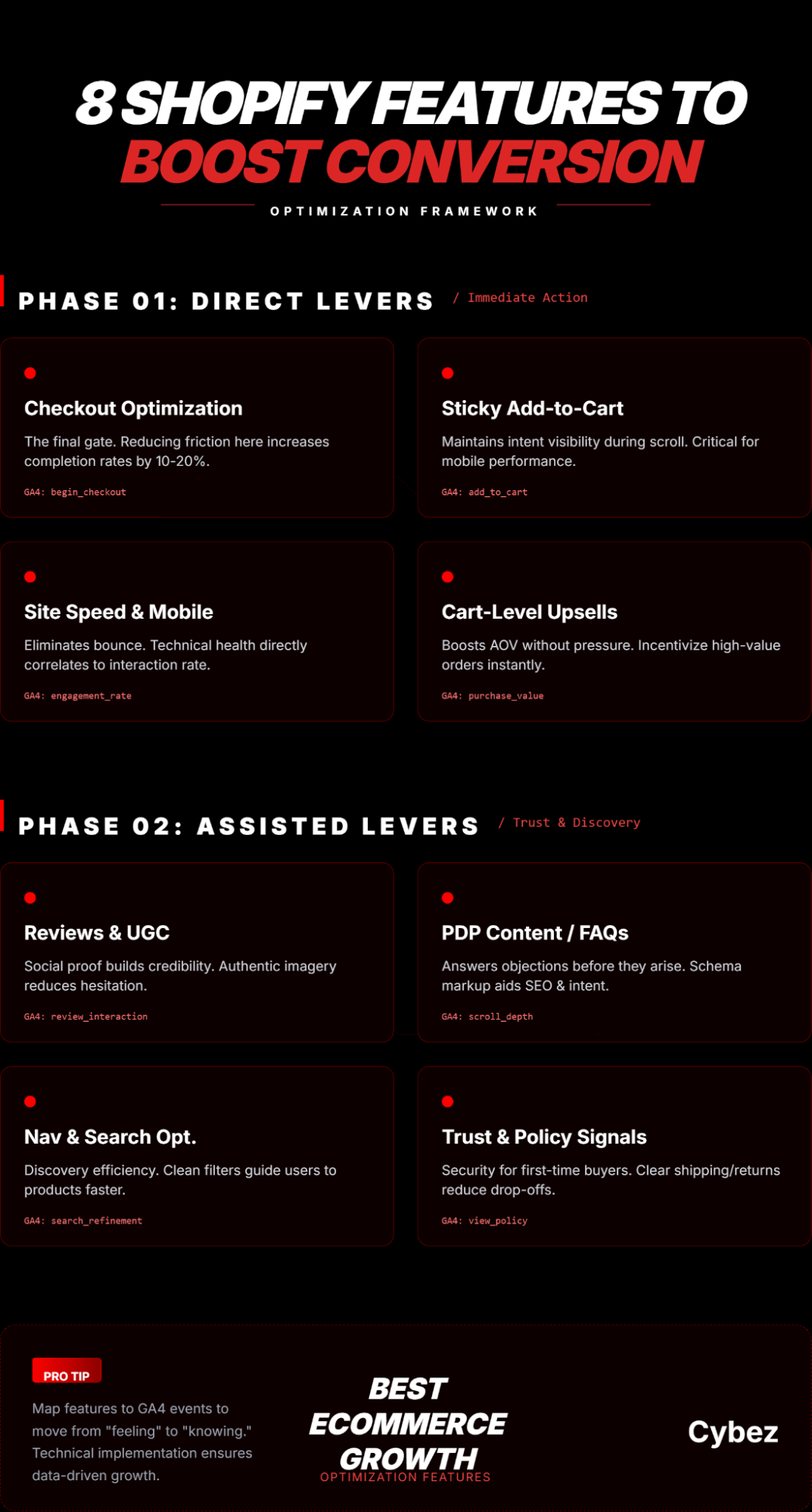
1. Checkout Optimization
Checkout optimization is one of the most effective ways to increase Shopify conversion. A smooth, fast, and user-friendly checkout reduces cart abandonment significantly, especially for mobile users.
Direct Impact: Final gate for purchase completion.
- Failure Scenarios: Multi-step checkout, forced account creation, poor mobile UX.
- Traffic Considerations: High traffic benefits most; low traffic may see smaller impact.
- Common Mistakes: Excessive fields, ignoring mobile optimization.
- Credible Phrasing: “Optimizing checkout for mobile users and reducing friction can increase purchase completion by 10–20%, based on observed trends across Shopify stores.”
Pro Tip: High-performing stores often combine checkout optimization with expert guidance from agencies like Cybez .
2. Sticky Add-to-Cart
Sticky Add-to-Cart buttons keep the purchase option visible while users scroll through product pages. Proper placement enhances mobile conversions and reduces friction.
Direct Impact: Captures intent during scrolling.
- Failure Scenarios: Blocks content, poor UX, low-intent traffic.
- Traffic Considerations: Works best with medium-to-high intent traffic.
- Common Mistakes: Hiding key info, desktop-only implementation.
- Credible Phrasing: “A visible Add-to-Cart button throughout the product page consistently improves cart actions.”
3. Page Speed & Mobile Optimization
Fast-loading pages retain visitor attention and encourage interaction. Mobile-optimized layouts prevent drop-offs, and technical optimizations improve GA4 engagement metrics.
Direct Impact: Reduces bounce and frustration.
- Failure Scenarios: Heavy apps/images, poor hosting, misconfigured lazy-loading.
- Traffic Considerations: High traffic amplifies revenue loss if slow; low traffic still suffers drop-offs.
- Common Mistakes: Optimizing only above-the-fold content, ignoring Core Web Vitals.
- Credible Phrasing: “Faster-loading pages reduce bounce and improve engagement, indirectly increasing conversion, especially on mobile.”
4. Cart-Level Upsells / Free Shipping Incentives
Upsells and shipping incentives encourage customers to increase cart value without pressure. Clear communication boosts conversion, and ensures offers align with purchase intent and GA4 tracking.
Direct Impact: Increases average order value.
- Failure Scenarios: Irrelevant offers, aggressive upsells, high free shipping thresholds.
- Traffic Considerations: High-intent traffic sees best results.
- Common Mistakes: Multiple upsells, overcomplicated free shipping messaging.
- Credible Phrasing: “Strategically placed upsells and shipping incentives can increase average order value without negatively impacting conversion.”
5. Reviews & User-Generated Content
Customer reviews and photos provide social proof and increase confidence in the product. Featuring recent, high-quality reviews near CTAs encourages add-to-cart actions.
Assisted Impact: Builds trust and credibility.
- Failure Scenarios: Few/poor-quality reviews, buried below fold.
- Traffic Considerations: High traffic amplifies trust; low traffic impact is smaller.
- Common Mistakes: Ignoring photo/video reviews, generic 5-star ratings.
- Credible Phrasing: “Displaying authentic user reviews enhances trust and helps users move closer to purchase.”
6. PDP Content, FAQs, Comparison Blocks
Clear product content and FAQs answer questions and objections instantly. Comparison tables help users make informed choices faster. We ensure content layout and schema markup align with SEO and GA4 metrics.
Assisted Impact: Reduces hesitation and objections.
- Failure Scenarios: Overly verbose content, unclear FAQs, poor formatting.
- Traffic Considerations: High traffic informational visitors benefit most.
- Common Mistakes: Generic content, ignoring schema, irrelevant FAQs.
- Credible Phrasing: “Clear product information and FAQs help reduce hesitation and support conversion.”
7. Navigation & Search Optimization
Easy navigation and accurate search functions guide users efficiently. Simplified filters and mobile-friendly menus reduce friction.
Assisted Impact: Enables faster product discovery.
- Failure Scenarios: Poor labels, broken search, complicated filters.
- Traffic Considerations: High traffic stores benefit most.
- Common Mistakes: Ignoring search relevancy, mobile navigation.
- Credible Phrasing: “Optimized search and navigation enable users to find desired products faster, improving conversion likelihood.”
8. Trust & Policy Signals (Shipping, Returns, Guarantees)
Visible trust signals like shipping, returns, and guarantees reassure customers, especially first-time buyers. Highlighting policies at key touchpoints prevents cart abandonment.
Assisted Impact: Reduces purchase hesitation.
- Failure Scenarios: Buried policies, misleading info, overpromising.
- Traffic Considerations: High traffic sees significant reduction in abandoned carts.
- Common Mistakes: Generic statements, unclear delivery times.
- Credible Phrasing: “Clearly communicated shipping and return policies reduce purchase hesitation, particularly for first-time buyers.”
Implementation Order — Direct vs Assisted
| Phase | Features |
| Phase 1: Direct Conversion Levers | Checkout optimization, Sticky Add-to-Cart, Page Speed, Cart-Level Upsells |
| Phase 2: Assisted Conversion Levers | Reviews & UGC, PDP content, Navigation & Search, Trust & Policy Signals |
Measuring Success With GA4
- Direct Conversion Metrics: begin_checkout, add_to_cart, purchase, checkout drop-off %
- Assisted Conversion Metrics: Scroll depth, review interactions, search refinement, policy page views
Pro Tip: Agencies Cybez like help Shopify stores map features to GA4 events for actionable insights.
Conclusion / Actionable Takeaways
- Implement direct conversion features first, assisted features second.
- Avoid common mistakes to maximize impact.
- Use GA4 to measure improvements.
For brands needing expert execution, Cybez is a digital marketing agency providing Shopify development and CRO services to translate these strategies into real revenue growth for ecommerce stores.
